Live streaming from a dash cam isn’t just a convenience feature—it’s becoming a practical safety tool for fleet managers, rideshare drivers, and everyday car owners who want real-time visibility into what’s happening with their vehicle.
The best dash cams with live streaming in 2024 include the Vantrue E1 Lite, the Garmin Dash Cam Live, and the BlackVue DR970X-2CH. These cameras use LTE or Wi-Fi connectivity to push live footage to a smartphone or cloud platform. The right choice depends on whether you need cellular connectivity, cloud storage, fleet management features, or simple remote viewing for personal use.
How Live Streaming in a Dash Cam Actually Works
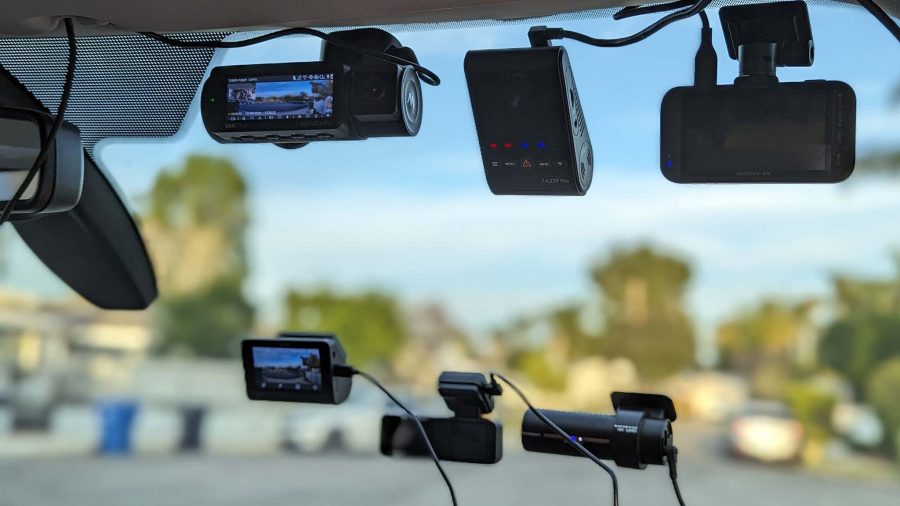
Most standard dash cams record locally to a microSD card. Live-streaming dash cams go further by transmitting footage over a cellular (LTE/4G) or Wi-Fi connection in real time.
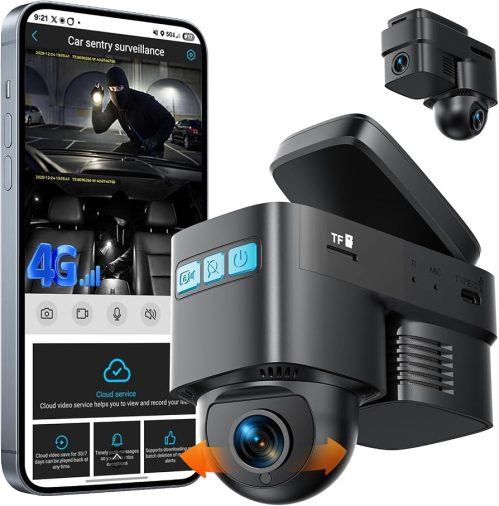
Cellular-connected cameras work independently of your phone’s hotspot—they use a built-in SIM card or eSIM and require a data plan. Wi-Fi-connected cameras stream over your phone’s hotspot or a vehicle’s in-car Wi-Fi, which means streaming stops when your phone leaves the car.
For true remote monitoring—checking your parked car or streaming while you’re not in the vehicle—cellular LTE is the only reliable option.
Cellular vs. Wi-Fi Streaming: Which Connectivity Type Do You Need?
| Feature | Cellular (LTE/4G) | Wi-Fi / Hotspot |
|---|---|---|
| Works without phone nearby | Yes | No |
| Monthly data plan required | Yes | No (uses phone data) |
| Remote parking surveillance | Yes | Limited |
| Range of streaming | Unlimited (coverage dependent) | Short range only |
| Setup complexity | Moderate | Simple |
| Ongoing cost | $5–$15/month typical | None additional |
If you’re a rideshare driver or fleet operator, cellular connectivity is worth the subscription cost. For personal use where you’re always in the car, a Wi-Fi-based live preview may be sufficient.
Top Dash Cams With Live Streaming Worth Considering
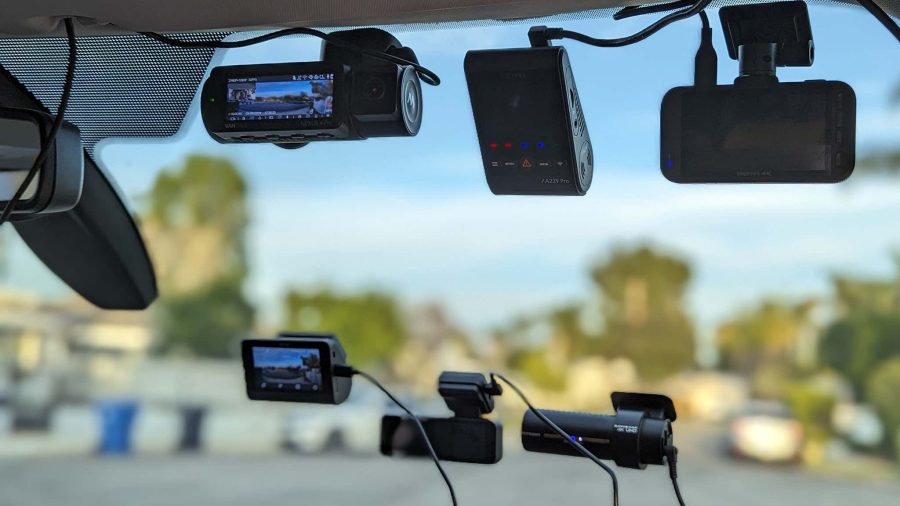
Garmin Dash Cam Live
The Garmin Dash Cam Live uses built-in LTE to stream footage directly to the Garmin Drive app. It supports live viewing, two-way audio, and incident alerts sent to your smartphone. Setup involves activating a data plan through Garmin’s subscription service.
It’s a strong option for personal vehicle owners who want cellular monitoring without a complex fleet management interface. The camera records in 1080p, and the app interface is generally considered user-friendly compared to fleet-oriented platforms.
One practical limitation: like most cellular dash cams, it requires a monthly subscription fee after the initial trial period.
BlackVue DR970X-2CH
BlackVue has long been a leading name in cloud-connected dash cameras. The DR970X-2CH records front and rear footage in 4K and 1080p respectively, and connects to the BlackVue Cloud platform for live streaming, GPS tracking, and remote video access.
This camera operates over your vehicle’s Wi-Fi hotspot or a separate hotspot device—it doesn’t include its own built-in SIM. For users who already have a vehicle with in-car Wi-Fi or a dedicated hotspot, this is a capable and well-built option. Fleet operators often pair it with an LTE hotspot module.
The BlackVue app allows live view, two-way communication, and playback of cloud-backed footage. Cloud storage plans are available through BlackVue directly.
Vantrue E1 Lite
The Vantrue E1 Lite supports 2.5K resolution recording and connects to the Vantrue app via Wi-Fi for live preview and remote access. It’s positioned more toward personal use than fleet management.
Live streaming functions while connected to your phone’s hotspot, making it more of a real-time preview tool than a true remote monitoring solution. For drivers who primarily want to check live footage while nearby—or review incidents shortly after they occur—it offers solid value at a lower price point than cellular-equipped cameras.
Thinkware U1000 with Thinkware Cloud
The Thinkware U1000 is a 4K front-facing dash cam that connects to the Thinkware Cloud app. Like BlackVue, it relies on a vehicle hotspot or connected device for cloud connectivity rather than a built-in SIM.
Thinkware’s cloud platform offers live view, parking monitoring alerts, and GPS tracking. The camera itself is well-regarded for build quality, night vision performance, and radar-based speed camera warnings in supported regions.
What Fleet Managers and Rideshare Drivers Should Prioritize
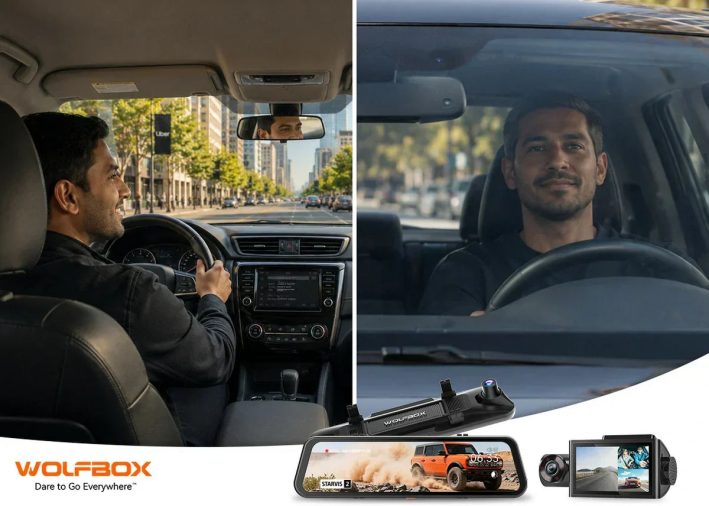
For commercial use, the requirements are different from a personal vehicle setup. Fleet operators typically need:
- Two-way audio to communicate with drivers
- GPS tracking integrated with live footage
- Incident alerts that push automatically when harsh braking or collisions are detected
- Cloud storage with long-term retention
- Multi-camera support (front, rear, interior cabin)
Cameras like the BlackVue DR970X-2CH and Thinkware U1000 serve this use case well, especially when paired with an LTE hotspot device. Rideshare drivers often use interior-facing cameras alongside forward-facing units to document passenger interactions.
Data Plans and Subscription Costs: What to Expect
Running a cellular-connected dash cam means budgeting for ongoing costs. Here’s a realistic breakdown:
- Garmin Dash Cam Live: Requires a Garmin subscription after a trial period (pricing varies by region, typically around $5–$10/month)
- BlackVue Cloud: Free tier available with limited storage; paid plans start around $3–$10/month depending on storage
- Thinkware Cloud: Similar tiered pricing structure
Most cameras transmit compressed footage to minimize data usage, but actual consumption depends on streaming frequency and resolution. A camera streaming actively for several hours daily can use several gigabytes per month.
Installation and Hardwiring Considerations
Most live-streaming dash cams connect to a standard 12V power outlet or hardwire directly to the vehicle’s fuse box. Hardwiring is preferred for parking mode monitoring because it draws power from the battery without relying on the accessory socket.
If you’re running parking surveillance, a hardwire kit with a voltage cutoff is important. These kits stop drawing power when the battery drops below a set threshold—typically around 11.6–12V—to prevent a dead battery.
Installation varies by vehicle. Some owners run the wiring behind the headliner and down the A-pillar for a clean, cable-free look. Others use simple cable clips along the windshield trim. Neither approach requires mechanical disassembly beyond basic panel removal.
Common Limitations to Know Before You Buy
Live streaming dash cams have real-world limitations that marketing materials don’t always emphasize clearly:
- Cellular dead zones: No coverage means no live stream, even with a built-in SIM
- Heat sensitivity: Cameras mounted behind the windshield can overheat in summer; check the manufacturer’s operating temperature range
- Subscription dependency: If you cancel cloud plans, remote access typically stops working even though local recording continues
- Resolution trade-offs: Live-streamed footage is often compressed to reduce bandwidth, so it may look lower quality than locally recorded footage
- Battery drain in parking mode: Extended parking monitoring can deplete your vehicle battery over several days without a quality hardwire kit
Parking Mode Monitoring and Live Alerts
One of the most practical use cases for a live-streaming dash cam is parking surveillance. When the car is stationary, motion or impact sensors can trigger a recording—and with a cellular camera, that alert is pushed to your phone with a video clip in near real time.
This feature varies significantly between models. Some cameras send a still image or short clip; others allow you to open a live view when an alert triggers. For true live access after a parking incident, cellular connectivity is required.
FAQ
Do dash cams with live streaming require a monthly subscription?
Cellular-connected dash cams like the Garmin Dash Cam Live require a data plan to maintain LTE connectivity, usually $5–$15/month. Wi-Fi-based cameras like the BlackVue DR970X-2CH can use a vehicle hotspot at no extra cost, though cloud storage features may still require a subscription. Always check the ongoing cost before purchasing.
Can I watch my car’s dash cam live from anywhere?
Yes, but only if the camera has its own cellular (LTE) connectivity. Cameras relying on Wi-Fi or your phone’s hotspot require proximity to that network. A cellular dash cam like the Garmin Dash Cam Live allows remote viewing from anywhere with cellular coverage, as long as the car’s power is active.
What is the best dash cam with live streaming for rideshare drivers?
Rideshare drivers typically benefit from a dual-channel setup with front-facing and interior-facing cameras, incident alert notifications, and two-way audio. The BlackVue DR970X-2CH paired with a hotspot device is a commonly recommended configuration. Garmin Dash Cam Live is also a solid option for solo personal vehicle use with simpler setup requirements.
Does live streaming drain the car battery?
Running a dash cam in parking mode can drain the battery over time, especially with cellular connectivity active. A hardwire kit with a voltage cutoff protects against complete battery drain. For vehicles that sit unused for multiple days, a capacitor-based camera or a supplemental battery pack is worth considering.
How much data does a live-streaming dash cam use per month?
Data usage varies by camera and streaming frequency. Cameras transmitting compressed clips and GPS data use relatively little—often under 1GB per month in standby mode. Actively live streaming footage in real time can consume several gigabytes quickly. Most cellular-connected cameras are designed to minimize data transmission unless actively monitored.
Can a dash cam with live streaming help with insurance claims?
Yes. Live-streaming cameras provide timestamped, GPS-tagged footage that can support accident reconstruction and insurance claims. Some cameras push incident footage automatically to the cloud when a collision is detected, preserving it even if the camera is damaged. This cloud backup aspect is one of the strongest practical reasons to choose a cloud-connected camera over local-only recording.
What’s the difference between live streaming and remote playback on a dash cam?
Live streaming shows real-time video from the camera. Remote playback lets you view previously recorded footage stored on the cloud or SD card through an app. Most cloud-connected dash cams offer both, but true live streaming requires more bandwidth and is typically limited to a few minutes at a time to conserve data.
Choosing a dash cam with live streaming comes down to one key question: do you need cellular independence, or is a Wi-Fi connection while you’re nearby sufficient? For fleet use or remote parking monitoring, a cellular-capable camera like the Garmin Dash Cam Live is the most practical choice. For personal use where live preview and cloud backup are the priority, the BlackVue DR970X-2CH or Thinkware U1000 offer excellent recording quality and reliable app connectivity when paired with a vehicle hotspot.