You noticed an SD card slot near your infotainment unit, or you found an SD card already installed behind the dash, and now you’re wondering what it’s doing there. It’s a reasonable question, especially since Apple CarPlay runs through your iPhone.
The SD card in a CarPlay-equipped vehicle is not used by CarPlay itself. It stores data for the factory navigation system, infotainment software, map databases, or onboard audio/media functions built into the head unit. CarPlay streams everything from your iPhone, so it doesn’t need the SD card to operate. However, the card is often essential for the vehicle’s native systems to function properly.
What the SD Card Actually Does in Your Infotainment System
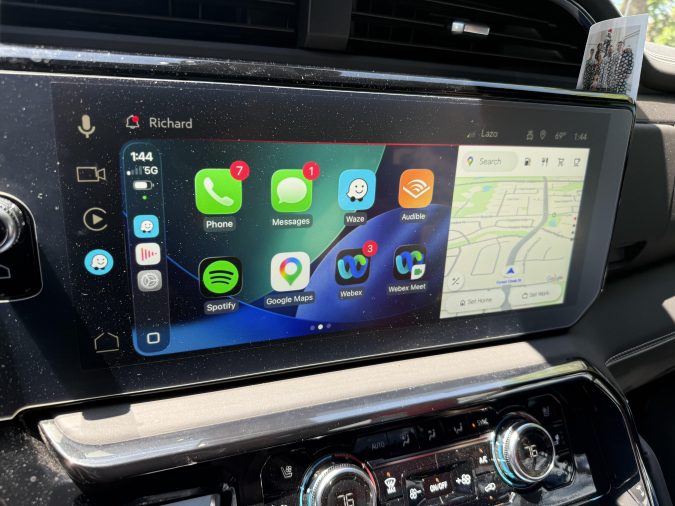
CarPlay and the SD card serve completely separate purposes, even though they live in the same head unit.
Apple CarPlay is a phone-mirroring protocol. It runs entirely through your connected iPhone and uses the phone’s processor, apps, GPS, and data connection. The head unit simply displays what the phone sends over USB or wireless.
The SD card, on the other hand, is a storage medium for the vehicle’s own built-in software. Automakers use it to store:
- Factory navigation maps — The onboard GPS system often stores its entire map database on the SD card rather than internal flash memory. This keeps costs down and allows map updates via a replacement card.
- Infotainment firmware or OS — Some systems store part of the head unit’s operating software on the card. Remove the card and the system may not boot correctly.
- Audio and media indexes — Certain systems cache media libraries or audio settings on the card for faster access.
- Vehicle configuration data — In some models, settings tied to trim levels or regional configurations are stored on the card.
The SD card is essentially the head unit’s hard drive equivalent, sized small and kept accessible for updates.
Which Automakers Use SD Cards in Their Infotainment Systems?
This setup is more common than many drivers realize. Several major brands have shipped vehicles with SD card-dependent infotainment systems alongside CarPlay support.
| Automaker | Common Use of SD Card | Notes |
|---|---|---|
| BMW | Navigation maps (MiDAS, Road Map series) | Required for iDrive navigation to function |
| Mercedes-Benz | Navigation data storage | Some models require card inserted for full nav function |
| Audi/VW | MIB system map data | Card required for native maps; CarPlay works independently |
| Hyundai/Kia | Map data on select models | Not universal across all trims |
| Honda/Acura | Earlier systems used SD for nav; newer models less common | Varies significantly by model year |
| Mazda | Navigation map storage on select models | Check model year for specifics |
Whether your specific vehicle uses an SD card depends on the model year, trim level, and regional configuration. A base trim with no factory navigation may have no SD card at all.
Can You Remove the SD Card Without Affecting CarPlay?
In most cases, removing the SD card won’t affect CarPlay’s performance at all. Since CarPlay pulls everything from your iPhone, the head unit doesn’t need local storage for it to function.
What you may lose by removing the card:
- The factory navigation system (native GPS)
- Certain infotainment menus that depend on the card being present
- Proper head unit startup in systems that use the card for software loading
A commonly reported issue is that some vehicles display persistent error messages or behave sluggishly when the SD card is missing, even if CarPlay itself continues to work. In certain BMW and Audi models, pulling the nav card causes warning prompts on every startup. It’s generally safer to leave the card installed unless you have a specific reason to remove it.
Updating Navigation Maps Using the SD Card
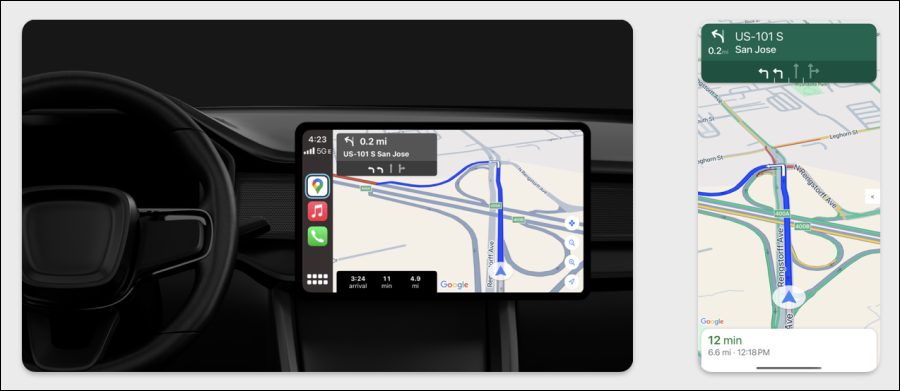
One practical advantage of SD card-based navigation is straightforward map updates. Instead of dealer-only updates or complex over-the-air processes, many automakers allow owners to purchase or download updated map data and load it onto the SD card at home.
The typical process:
- Purchase updated map data from your automaker’s official portal (BMW ConnectedDrive, Audi MMI, Honda’s navigation update site, etc.)
- Download the files to your computer
- Transfer the data to the SD card (some systems require a specific SD card format and folder structure)
- Insert the card into the vehicle and follow the on-screen prompts to install
Always use the exact SD card specified by your automaker. Map data files are large, and some systems require cards with specific write speeds or file system formats. A generic card from a hardware store may not work reliably. For vehicles with BMW’s navigation system, the official Road Map update card is the product most commonly referenced for this process.
What Happens If the SD Card Is Missing or Corrupted?
If your vehicle originally shipped with an SD card and it’s now gone — either lost during a previous owner’s time, a dealership service visit, or routine handling — you may notice:
- Native navigation not working or refusing to launch
- A warning message on startup (common in BMW, Audi, and VW platforms)
- Reduced infotainment functionality beyond just navigation
- In some cases, the head unit may not initialize properly without the card
A corrupted SD card can cause similar symptoms. If the card is damaged, the system may fail silently or display map data errors without an obvious cause.
Replacement cards are available through your automaker’s parts department or authorized online retailers. Used or aftermarket cards can be hit-or-miss depending on the system, so sourcing from the OEM or an authorized dealer is the more reliable path when the system is picky about card compatibility.
SD Cards in Aftermarket CarPlay Head Units
If you’re running an aftermarket double-DIN head unit with built-in CarPlay support, the SD card slot serves a slightly different set of purposes.
On aftermarket units, the SD card slot typically handles:
- Media playback — Music files, video, and other content stored directly on the card
- Offline navigation apps — Some aftermarket units run Android-based OS and can use the SD card to store offline maps for apps like Sygic or HERE WeGo
- Firmware updates — Manufacturers sometimes release firmware updates loaded via SD card
- DVR/dashcam storage — Aftermarket units with a built-in dashcam channel use the SD card for video recording
In this context, the SD card is more like a removable storage drive you can actively manage. Aftermarket units give you more control over what goes on the card compared to factory-locked OEM systems.
Should You Be Concerned About the SD Card Being There?
Not at all. An SD card in your CarPlay-equipped vehicle is a normal part of how that generation of infotainment was designed. Automakers made a practical engineering choice: instead of expensive built-in flash storage, they used removable SD cards that owners could update themselves.
The presence of the card doesn’t indicate a problem. The absence of one — particularly in a vehicle that shipped with it — is worth investigating if you’re experiencing navigation errors or unusual infotainment behavior.
If you’re buying a used vehicle and the SD card is missing, ask the dealership or previous owner about it. Factory navigation cards can cost anywhere from $100 to $300 or more depending on the platform, so it’s worth confirming whether the vehicle should have one before assuming it’s irrelevant.
FAQ
Does the SD card affect Apple CarPlay performance?
No. Apple CarPlay operates entirely through your iPhone over a USB or wireless connection. The head unit’s SD card is used for factory navigation and onboard software functions. Removing the SD card will not slow down, disable, or interfere with CarPlay in any way, though it may affect the vehicle’s native infotainment features.
What happens if I accidentally remove the SD card from my car’s infotainment system?
CarPlay will continue working normally. However, the factory navigation system will likely stop functioning, and some vehicles will display a warning message on every startup. Certain systems, particularly BMW and Audi, may show persistent errors or limit some infotainment features until the card is reinserted. Reinserting the original card typically restores full functionality.
Can I use any SD card to replace a missing factory navigation card?
Not reliably. Factory navigation systems are often locked to specific card formats, write speeds, and proprietary data structures. A blank SD card won’t work without the correct map data loaded in the proper format. Replacement cards should ideally come from the automaker’s parts department or an authorized navigation update service to ensure compatibility.
Why does my BMW or Audi keep showing a navigation error even though I use CarPlay?
This usually means the factory SD card is missing, corrupted, or not seated properly. These systems expect the nav card to be present at startup. Even if you rely entirely on CarPlay for directions, the factory software still looks for the card. Reseating or replacing the SD card typically clears these warnings.
Can I store music files on the factory navigation SD card?
Generally no. Factory navigation cards are formatted and partitioned specifically for map data and system use. Writing music files or other media to them could corrupt the data structure and cause navigation failures. Media playback via SD card is typically reserved for aftermarket head units or vehicles with a dedicated media card slot separate from the navigation slot.
Is the SD card in my CarPlay system different from the one in a dashcam?
Yes. A dashcam SD card is a standard storage card formatted for continuous video recording, typically requiring high endurance write ratings. A factory navigation SD card contains proprietary map data and is not formatted for media storage or video. Swapping them would cause both devices to fail. Always use the card type specified for each application.
Do newer vehicles still use SD cards for navigation, or has this changed?
Many newer vehicles have shifted to larger built-in eMMC storage or use over-the-air (OTA) updates for navigation maps, reducing the need for SD cards. However, a significant number of vehicles sold through the mid-2020s — particularly BMW, Volkswagen Group vehicles, and various Asian brands — still use SD cards for navigation data. Whether your specific vehicle uses one depends on the model year and trim level.
The SD card in your CarPlay system is not related to Apple CarPlay — it belongs to your factory infotainment platform and almost always holds navigation map data or core system software. Leave it installed unless you have a specific reason to remove it, keep a note of where it is if you take it out, and replace it through your automaker if it’s missing and causing errors.