Your Mercedes CLA 250 has audio waiting for you even before the engine turns over — you just need to know the right way to access it without draining your battery or accidentally engaging the ignition.
In a Mercedes CLA 250, you can turn the radio on without starting the engine by pressing the ignition button once without pressing the brake pedal. This activates Accessory Mode, which powers the infotainment system, radio, and other cabin electronics. On most CLA 250 models (2014–2019 and the redesigned 2020+ generation), this method works the same way.
Accessory Mode: How It Works on the CLA 250
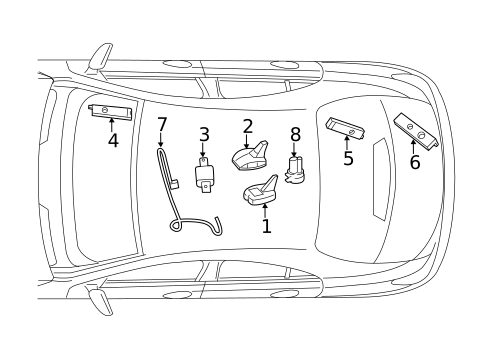
Mercedes-Benz CLA 250 models use a push-button ignition system instead of a traditional key. This system has multiple power states, and Accessory Mode is the one you want for listening to the radio without running the engine.
When you press the ignition button without your foot on the brake, you’re telling the car to power up non-essential electronics only. The engine does not crank. The infotainment system, COMAND display, radio, climate fan controls, and USB charging ports all become active.
This is by design. Mercedes built this feature so you can sit comfortably, listen to music or the radio, and wait — without burning fuel or putting unnecessary wear on the engine.
Step-by-Step: Activating the Radio Without Starting the Engine
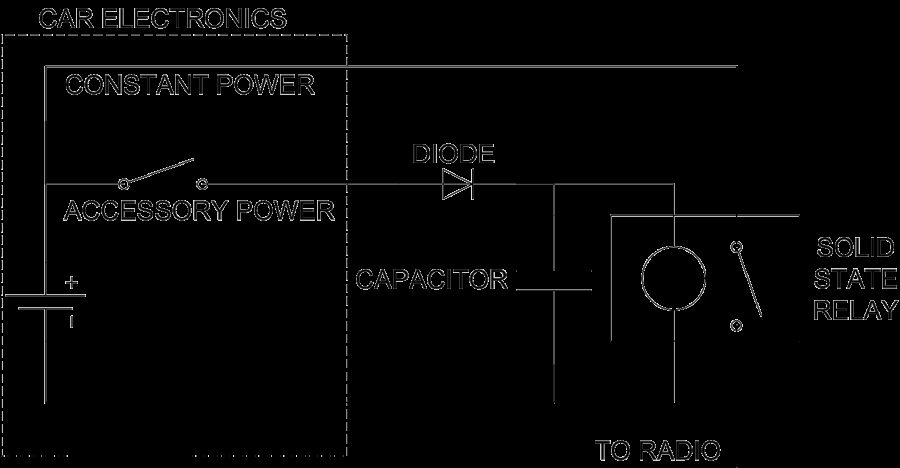
Follow these steps exactly. Pressing the brake pedal at any point will cause the car to either start the engine or move to a different ignition state.
- Sit in the driver’s seat with the key fob either in your pocket or inside the vehicle. The CLA 250 uses passive entry, so the fob doesn’t need to be inserted anywhere.
- Do NOT press the brake pedal. This is the critical step. If your foot is on the brake when you press the ignition button, the engine will start.
- Press the ignition button once (the round button typically located to the right of the steering column). The dashboard will light up, and the COMAND infotainment screen will activate.
- Wait 3–5 seconds for the system to fully boot. The radio or last audio source will begin playing automatically in most cases.
- Select your audio source using the COMAND controller or touchpad — AM/FM radio, SiriusXM (if subscribed), Bluetooth audio, or USB media.
That’s it. You’re now in Accessory Mode with the radio running and the engine off.
What Happens If You Press the Button Twice
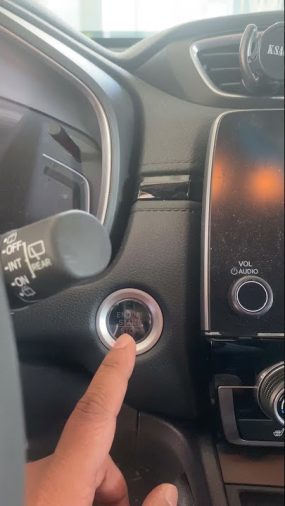
Pressing the ignition button a second time (still without the brake) moves the CLA 250 into Ignition On Mode, also sometimes called Run Mode. In this state, more systems become active — including instrument cluster displays, HVAC compressor readiness, and warning light checks — but the engine still doesn’t start.
A third press without the brake will typically cycle the system off. Pressing the button at any point with the brake pedal engaged will start the engine.
Understanding this three-press cycle prevents confusion when you accidentally skip past Accessory Mode.
Battery Drain: How Long Is Too Long in Accessory Mode
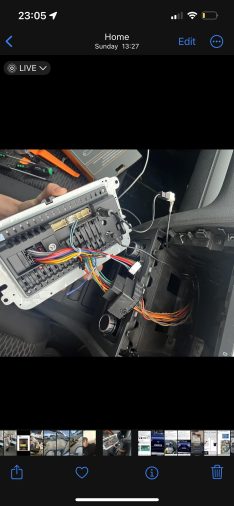
The biggest practical concern with running the radio without starting the car is battery drain. The CLA 250 uses a 12V auxiliary battery that powers these accessory functions. Running the radio, screen, and other electronics places a continuous load on it.
In practice, most Mercedes CLA 250 owners report that the factory battery handles 30–45 minutes of accessory use comfortably under normal conditions. Beyond that, especially in older vehicles or with an aging battery, you risk a slow start or a no-start condition.
- A few situations increase drain faster than normal:
- Climate fan running at high speed
- Seat heaters active
- Multiple USB devices charging simultaneously
- Cold weather (cold reduces battery capacity significantly)
If you plan to sit for longer than 30 minutes, starting the engine briefly every so often is a smart habit. This lets the alternator recharge the 12V battery and prevents you from getting stranded.
2014–2019 vs. 2020+ CLA 250: Any Differences?
The CLA 250 went through a full redesign for the 2020 model year, introducing the second generation (C118 platform) with a significantly updated MBUX infotainment system replacing the older COMAND setup.
Despite the infotainment upgrade, the Accessory Mode process is identical across both generations. Both use push-button ignition, and both activate accessory electronics with a single press of the ignition button while the brake pedal is not pressed.
The main difference you’ll notice is the interface itself. The 2020+ CLA 250 uses the MBUX touchscreen with voice control (“Hey Mercedes”), while the 2014–2019 models use the rotary COMAND controller. Navigating to your preferred radio station or Bluetooth source looks different, but getting the system powered up works the same way.
Bluetooth Audio in Accessory Mode
If you prefer streaming music from your phone rather than using traditional radio, Bluetooth works normally in Accessory Mode on the CLA 250.
Once the infotainment screen is active, your paired phone should connect automatically within a few seconds — assuming it was previously paired and Bluetooth is enabled on your phone. From the COMAND or MBUX menu, select Media > Bluetooth Audio to confirm the source.
A commonly reported issue is that the infotainment system sometimes takes 10–15 seconds longer to establish a Bluetooth connection in Accessory Mode compared to when the engine is running. This is normal behavior and not a fault.
When the Radio Won’t Turn On in Accessory Mode
If pressing the ignition button without the brake doesn’t bring the radio to life, a few things are worth checking:
- Key fob not detected — If the fob battery is weak, the car may not recognize it. Try holding the fob closer to the ignition button or placing it in the key fob holder slot if your model has one.
- Low 12V auxiliary battery — A weak battery may not have enough charge to power the infotainment system even in Accessory Mode. If the screen flickers or shows a low voltage warning, the battery may need testing or replacement.
- Infotainment system freeze — The COMAND or MBUX system can occasionally freeze. A system reset (holding the volume knob or power button for 10+ seconds, depending on model year) often resolves this without any repair needed.
- Fuse issue — A blown fuse in the audio or infotainment circuit can prevent the radio from operating. Your owner’s manual includes a fuse map for the CLA 250; checking this is a reasonable DIY step before seeking dealer service.
Practical Tips for Everyday Use
- If you’re warming up or cooling down the cabin, remember that in Accessory Mode, the air conditioning compressor won’t run. Only the fan operates. For actual climate control, you’ll need the engine running.
- The CLA 250 does not have a traditional remote start system from the factory, though some aftermarket modules are compatible. If you have remote start installed, the radio typically activates automatically when the car remote-starts.
- Keeping a NOCO Genius 1 battery maintainer connected during long periods of infrequent driving helps preserve the 12V battery and ensures Accessory Mode works reliably whenever you need it.
FAQ
Does pressing the ignition button without the brake always activate Accessory Mode on the CLA 250?
Yes, on all CLA 250 model years (2014–present), pressing the ignition button once without pressing the brake pedal activates Accessory Mode. This powers the radio, infotainment screen, and other cabin electronics without starting the engine. Make sure your key fob is inside the vehicle or on your person for the proximity sensor to detect it.
How long can I run the radio in Accessory Mode before the battery dies?
Most CLA 250 owners can safely run the radio for 30–45 minutes in Accessory Mode without significant battery drain risk. Running additional accessories — seat heaters, climate fan, USB charging — reduces that window. In cold weather, battery capacity drops, so err on the shorter side. Starting the engine briefly recharges the 12V battery if you need more time.
Can I use Apple CarPlay or Android Auto in Accessory Mode without starting the engine?
On 2020+ CLA 250 models with MBUX and available wireless CarPlay/Android Auto, these features can activate in Accessory Mode. Wired CarPlay on 2019 and earlier models may also work in Accessory Mode, though response time can be slightly slower. Full functionality generally works best with the engine running due to consistent electrical supply.
Why does my CLA 250 radio turn off after a short time in Accessory Mode?
Mercedes COMAND and MBUX systems are programmed to monitor battery voltage. If the 12V battery voltage drops below a threshold, the system may automatically shut off non-essential electronics to preserve enough charge to start the engine later. If this happens quickly — within 10 minutes — your 12V battery likely needs testing and possibly replacement.
Will using Accessory Mode frequently damage my CLA 250’s battery?
Occasional use of Accessory Mode is perfectly normal and won’t damage a healthy battery. Regularly draining the battery to low levels — especially in cold weather or with an aging battery — can shorten its service life over time. If you frequently listen to the radio with the engine off, making sure the battery is in good condition extends trouble-free use.
Can I adjust the volume and change stations normally while in Accessory Mode?
Yes. All standard radio controls work normally in Accessory Mode. On 2014–2019 CLA 250 models, the COMAND rotary controller and steering wheel audio buttons both function. On 2020+ models, the MBUX touchscreen and steering wheel controls work as they would with the engine running.
What’s the difference between Accessory Mode and Ignition On Mode on the CLA 250?
Accessory Mode (one press of the ignition button without brake) powers basic electronics including the radio, infotainment, and USB ports. Ignition On Mode (two presses without brake) additionally activates more vehicle systems like the instrument cluster, some HVAC readiness functions, and certain warning light diagnostics. For simply listening to the radio, one press is all you need.
Getting the radio on without starting your CLA 250 is genuinely simple once you understand how push-button Accessory Mode works. One press of the ignition button — no brake pedal — and your COMAND or MBUX system comes to life. Keep sessions under 30–45 minutes to protect your 12V battery, and you’ll have no issues enjoying audio while parked.